Your phone just buzzed. You glance at it. A like on Instagram. You unlock the screen to check, and 15 minutes later you are three stories deep into someone's vacation photos from 2019. You never intended to spend that time scrolling. You just wanted to check one notification.
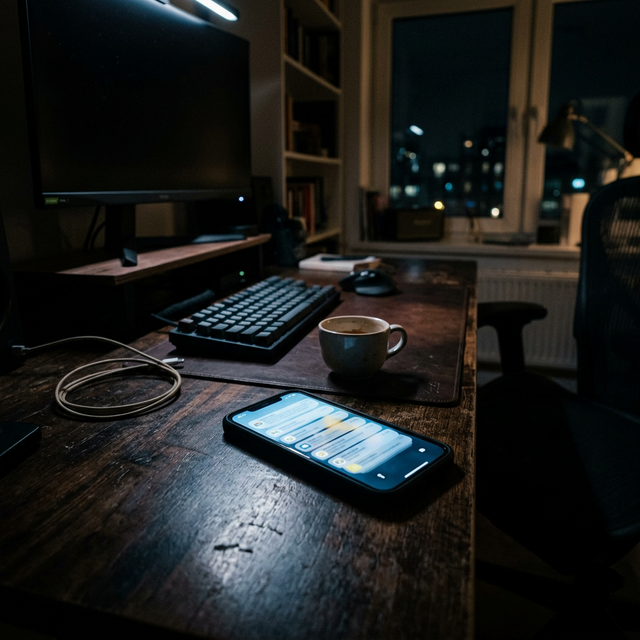
This happens dozens of times every day. Research shows the average smartphone user receives between 96 and 140 notifications daily. That is one interruption every 10 to 15 minutes during waking hours. Each buzz, ping, or vibration pulls your attention away from whatever you were doing, and the cost is higher than you think.
The Hidden Cost of Every Notification
When a notification arrives, it does not just interrupt you for the two seconds it takes to glance at your phone. Dr. Gloria Mark, a professor at UC Irvine who studies digital distraction, found that it takes an average of 23 minutes and 15 seconds to fully refocus on a task after an interruption.
Think about that. If you get 100 notifications per day and check even half of them, you are losing hours of productive focus time. Not because you spent hours reading those notifications, but because of the residual attention drain each interruption creates.
This phenomenon is called attention residue. When you switch from your current task to check a notification, part of your attention remains stuck on the interruption even after you return to work. You might be staring at your laptop, but mentally you are still thinking about that text message or wondering if anyone replied to your comment.
Why You Can't Just Ignore Them
If notifications are so disruptive, why not just ignore them? The problem is that notifications are psychologically engineered to be impossible to ignore.
Every notification triggers a dopamine response. Your brain learns to associate the buzz or ping with a potential reward, whether it is social validation, new information, or entertainment. Over time, this creates a Pavlovian response. The notification sound alone is enough to trigger anticipation and curiosity, even before you know what the notification is about.
Studies on variable reward schedules show that unpredictable rewards are the most addictive type. Sometimes a notification is important. Sometimes it is junk. You never know which one it will be, and that uncertainty keeps you checking. Slot machines work the same way.
There is also a fear component. What if it is something urgent? What if someone needs you? This creates what researchers call notification anxiety, the constant low-level stress of feeling like you might be missing something important.
The Compounding Effect on Your Day
Beyond the attention cost, constant notifications create a fragmented experience of time. Instead of spending your day in focused blocks, you are spending it in reactive micro-moments.
Research from Microsoft found that workers who experience frequent interruptions report higher stress levels, lower job satisfaction, and a greater perception of workload. The feeling of being constantly interrupted makes tasks feel harder than they actually are.
This is why you can finish a day where you were busy the entire time but feel like you accomplished nothing. You were productive in bursts of seconds and minutes, but never long enough to enter a state of deep focus where real progress happens.
The Quiet Hours Strategy
The solution is not to turn off all notifications forever. Some notifications are genuinely useful. The key is to batch your notifications instead of processing them in real time.
This is where Quiet Hours becomes one of the most powerful tools for focus. Instead of reacting to notifications the moment they arrive, you set specific windows during the day when distracting apps are blocked entirely.

Here is how to use it strategically:
1. Identify Your Deep Work Windows
When during the day do you need uninterrupted focus? For most people, this is morning hours (9am to 12pm) when cognitive energy is highest. Set Quiet Hours to block social media, messaging apps, and games during these times.
2. Create Communication Boundaries
Quiet Hours does not block calls or texts from your actual contacts. It blocks the apps that generate the most noise: Instagram, TikTok, Reddit, YouTube, Twitter. You are still reachable for real emergencies, but you are not being pulled into endless scrolling sessions by algorithm-driven notifications.
3. Batch Check Your Apps
Instead of checking Instagram 20 times throughout the day for 30 seconds each, check it once during a designated break for 10 minutes. You will see the same content, but without fragmenting your entire day.
4. Anchor to Existing Routines
The most effective Quiet Hours schedules are tied to routines you already have. If you always eat lunch at 12:30pm, set Quiet Hours to end then. If you go to the gym at 6pm, let that be your social media time after. This creates natural stopping points instead of relying on willpower.
Why This Works Better Than Do Not Disturb
You might be thinking, "Can't I just use Do Not Disturb mode?" The problem with Do Not Disturb is that it is all or nothing. You either silence everything (including important messages) or you let everything through.
Quiet Hours in ScrollOff lets you block specific apps without silencing your entire phone. You can still get work emails, texts from family, and calendar reminders while blocking Instagram, TikTok, and games. It is selective silence, not total silence.
Even better, Quiet Hours does not touch your Screen Time credit balance. It is a separate protective layer. You can schedule Quiet Hours for 9am to 5pm every weekday and still earn credits during that time by staying off other distracting apps. Then when Quiet Hours ends, you can spend those credits guilt-free.
Start With One Window
If you have never used app blocking before, start small. Pick one 2-hour window during your day when you want uninterrupted focus. For most people, this is mid-morning (10am to 12pm).
Set Quiet Hours to block your three most distracting apps during that window. Not ten apps. Just three. The goal is not to make your life harder, it is to create one protected block of time where you can think clearly without interruptions.
After a week, you will notice the difference. That 2-hour block will feel longer, more productive, and less stressful than the rest of your day. Once you feel the benefit, you can expand to other windows.
Your Attention Is Worth Protecting
Every notification is a bid for your attention. Some are worth it. Most are not. The question is whether you want to let every app decide when it gets to interrupt you, or whether you want to set the terms yourself.
Quiet Hours is not about cutting yourself off from the world. It is about deciding when you engage with the digital world on your terms, not theirs. It is the difference between being pulled into your phone 100 times a day and choosing when to check in.
Your phone should serve you. Not the other way around.